
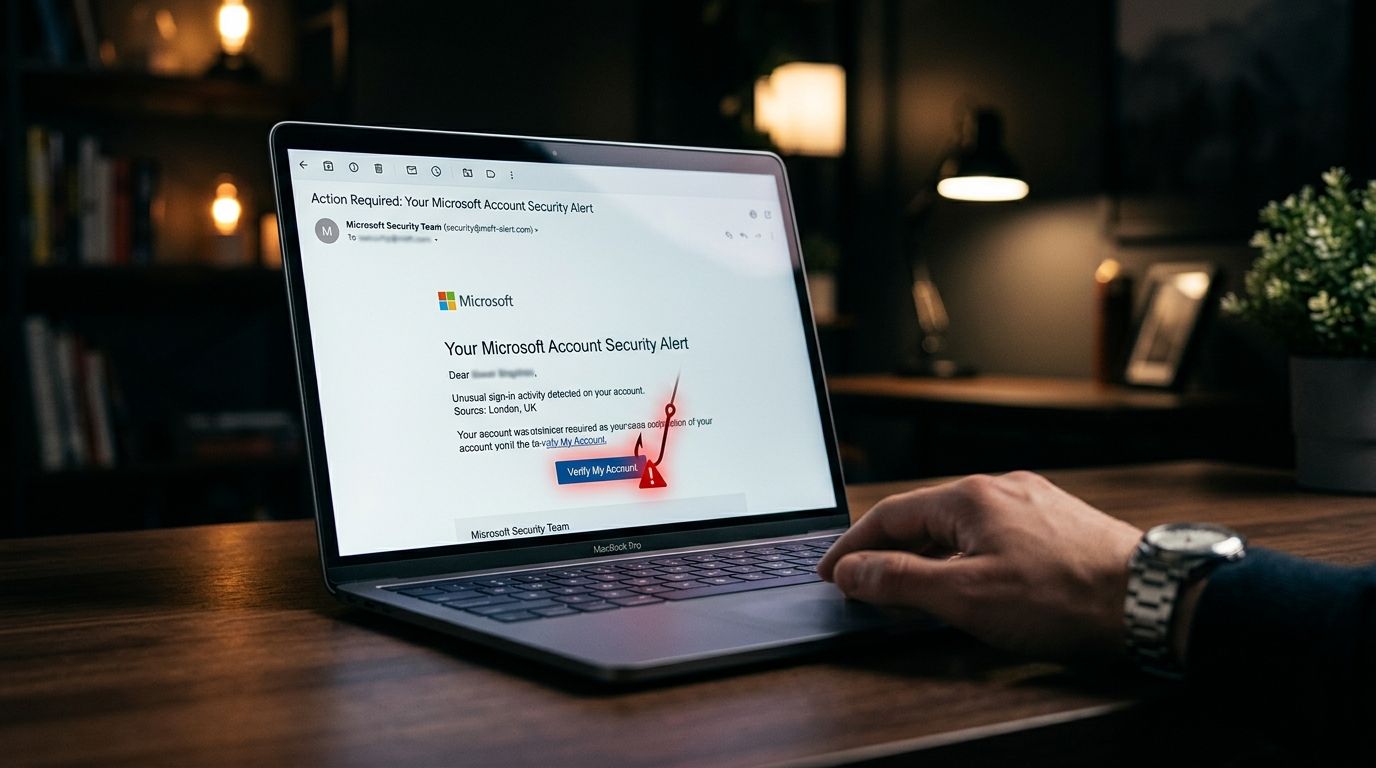
15 Real Phishing Email Examples (And How to Spot Them Instantly)
Recognizing common phishing email examples protects your digital identity and keeps your online banking accounts secure. Digital thieves send millions of deceptive messages every single day to trick honest people into sharing passwords. They use clever psychological tricks to make their fake alerts look urgent and official.
Learning how to spot a phishing email comes down to seeing the underlying pattern behind the message. Scammers constantly rewrite their text, but they rely on the same basic tactics to steal your money. This guide analyzes fifteen illustrative examples across five common categories. You can use these simple pattern checks on any phone or computer to stay safe.
Urgency and Threat-Based Phishing Email Examples
Scammers frequently use fear to stop you from thinking clearly before you click a link. Threat-based emails construct artificial emergencies that demand your immediate attention. They know that a panicked reader is much more likely to ignore standard safety checks.
The first common pattern involves a fake account suspension notice. The mock message claims your online account will be permanently closed within twelve hours due to unverified billing details. The primary tell in this message is the artificial deadline combined with a non-official sender address. Legitimate companies give you ample time to resolve billing issues through your regular account settings.
The second pattern uses a fake unauthorized login alert. The mock message states that an unknown device accessed your profile from a foreign city and urges you to click a button to lock your account. The tell here is the mismatched web link hiding behind the security button. When you check the previewed URL, it points to a strange third-party website rather than the official domain.
The third pattern centers on a fake payment failure notice from a popular subscription service. The mock email claims your monthly payment failed and threatens to cut off your service tonight unless you update your credit card immediately. The tell is a generic greeting like "Dear Customer" combined with a missing order reference number. Real subscription services always address you by name and include your past invoice numbers.
Too-Good-To-Be-True Phishing Email Examples
Messages that offer unexpected money or gifts exploit excitement to bypass your natural caution. These scams tempt you with free rewards to steal your banking details or personal information.
The fourth pattern features an unsolicited cash refund notification. The mock email claims that a retail company owes you two hundred dollars due to a past overcharge and asks you to click a link to collect your payout. The tell is that real companies do not email unexpected cash refunds out of the blue. Official refunds are credited directly back to your original payment method without requiring you to log in.
The fifth pattern involves a fake gift card reward offer. The mock message congratulates you on winning a fifty-dollar store card for completing a brief consumer survey. The tell is a requirement to share your phone number or credit card details to claim a free gift. Honest promotional giveaways never ask for sensitive financial data to deliver a simple reward.
The sixth pattern uses a fake survey payout promise from a research team. The mock email promises an instant deposit into your checking account if you answer five quick questions about your shopping habits. The tell is a request for your online banking credentials or routing numbers inside the survey form. Legitimate survey companies pay through secure third-party portals, never by asking for direct access to your bank.
Impersonation Phishing Email Examples
Authority impersonation occurs when digital thieves pretend to be someone you already know and trust. They impersonate workplace managers, technical workers, or delivery drivers to lower your guard.
The seventh pattern shows a fake boss or supervisor request sent to an employee. The mock email claims your manager is stuck in a silent meeting and needs you to purchase three retail gift vouchers immediately for a client. The tell is the strange payment method combined with an address that slightly misspells your company name. Real managers do not ask employees to buy retail gift cards over text or email.
The eighth pattern involves a fake IT department password reset. The mock message claims your corporate email system is undergoing emergency maintenance tonight and demands that you verify your current password through an external link. The tell is an unannounced security update that links to an external domain outside your organization. Official IT staff reset credentials through established internal tools, not through unverified external web forms.
The ninth pattern focuses on a fake delivery company notice. The mock email states that a package cannot be delivered because your home address is incomplete and asks for a small redelivery fee. The tell is a demand for credit card payment to complete a standard home delivery. Major shipping carriers do not charge small online fees to update standard delivery instructions.
Financial Institution Phishing Email Examples
Scammers regularly impersonate banks and credit card companies because those accounts hold your cash directly. These alerts use alarming financial claims to trick you into entering your banking passwords on fake websites.
The tenth pattern displays a fake bank security alert about fraudulent card charges. The mock message lists several large pending transactions and provides a link to review and cancel the charges. The tell is that the link leads to a third-party webpage instead of your official banking app. Real financial institutions ask you to verify charges directly inside their secure mobile application or by calling the number on your card.
The eleventh pattern uses a fake credit card fraud lock alert. The mock email claims your credit line has been restricted due to suspicious activity and asks you to confirm your card number to unlock it. The tell is a direct request for your full sixteen-digit card number and security code. Legitimate card issuers already have your account details and will never ask you to re-enter them over unencrypted email forms.
The twelfth pattern involves a fake pre-approved loan offer. The mock message announces that your personal loan application for ten thousand dollars has been approved and requires your Social Security number to finalize the deposit. The tell is an unsolicited loan approval for a service you never applied for in the first place. Financial companies perform detailed credit checks before offering real loans.
Personal and Social Phishing Email Examples
Social media scams target your personal relationships and online social profiles. Thieves use these platforms to steal personal credentials or trick your friends into sending money.
The thirteenth pattern involves a fake social media login warning. The mock email claims someone attempted to alter your account password from a new web browser and provides a button to secure your profile. The tell is a web address that subtlely alters the spelling of the social media platform name. Always open your social media app independently to check for real security alerts.
The fourteenth pattern uses a fake tagged photo notification. The mock message claims a contact tagged you in an embarrassing online photo and instructs you to log in to view the image. The tell is an emotional baiting tactic designed to trigger panic or curiosity without displaying a real photo preview. Official social networks display clear notifications inside their own secure applications.
The fifteenth pattern shows a fake friend in trouble request. The mock email claims a close acquaintance lost their wallet while traveling overseas and urgently needs a money transfer to pay their hotel bill. The tell is an urgent demand for wire transfers or digital money apps without any prior telephone conversation. Always call your friend directly on their known phone number to verify their safety before sending money.
How to Spot Phishing Email Patterns Before You Click
Recognizing common phishing email tactics comes down to evaluating the pattern rather than reading the specific text. Digital thieves will continue to alter their wording, but their core goals never change. They always want you to act quickly, click unverified links, or share private personal details. Understanding these underlying patterns keeps your personal assets and identity safe.
Never let an urgent email pressure you into making a hasty decision with your private information. If a message seems suspicious, stop and verify the sender details through an independent contact method. You can also analyze suspicious links using digital security scanners before clicking them.
We built a free safety scanner to help you analyze unverified links instantly. You can test suspicious web links using our free VastOutlet Threat Rating Engine. Visit https://www.vastoutlet.com/rating-engine to scan suspicious details and keep your digital life secure today.
Worried this happened to you?
Our Threat Rating Engine can analyze suspicious URLs, email addresses, or cryptocurrency wallets associated with potential scams.
Scan suspicious linkarrow_forwardProtecting Your Digital footprint
Once you have identified these threats, taking immediate action is essential. Do not delay banking checks or changing passwords. By locking down your account security policies and setting up credit monitoring blocks, you can completely isolate yourself from modern credential-harvesting networks.