
7 Signs That 'Tech Support' Call Is Actually a Scam
Falling for a tech support scam can destroy your digital privacy and drain your personal bank account within minutes. Digital thieves use fake security warnings and loud browser pop-ups to trigger sudden panic on your computer screen. These scary alerts claim your device contains dangerous viruses or severe system errors. Scammers hope this immediate fear will stop you from thinking clearly.
Knowing how these deceptive operators work helps you protect your personal files and savings. Real technology companies never monitor your private screen or call you without warning. This practical guide breaks down seven obvious red flags behind fraudulent support calls. You can use these simple verification steps on any device to stay completely safe today.
1. Why do you receive an unsolicited call or pop-up warning?
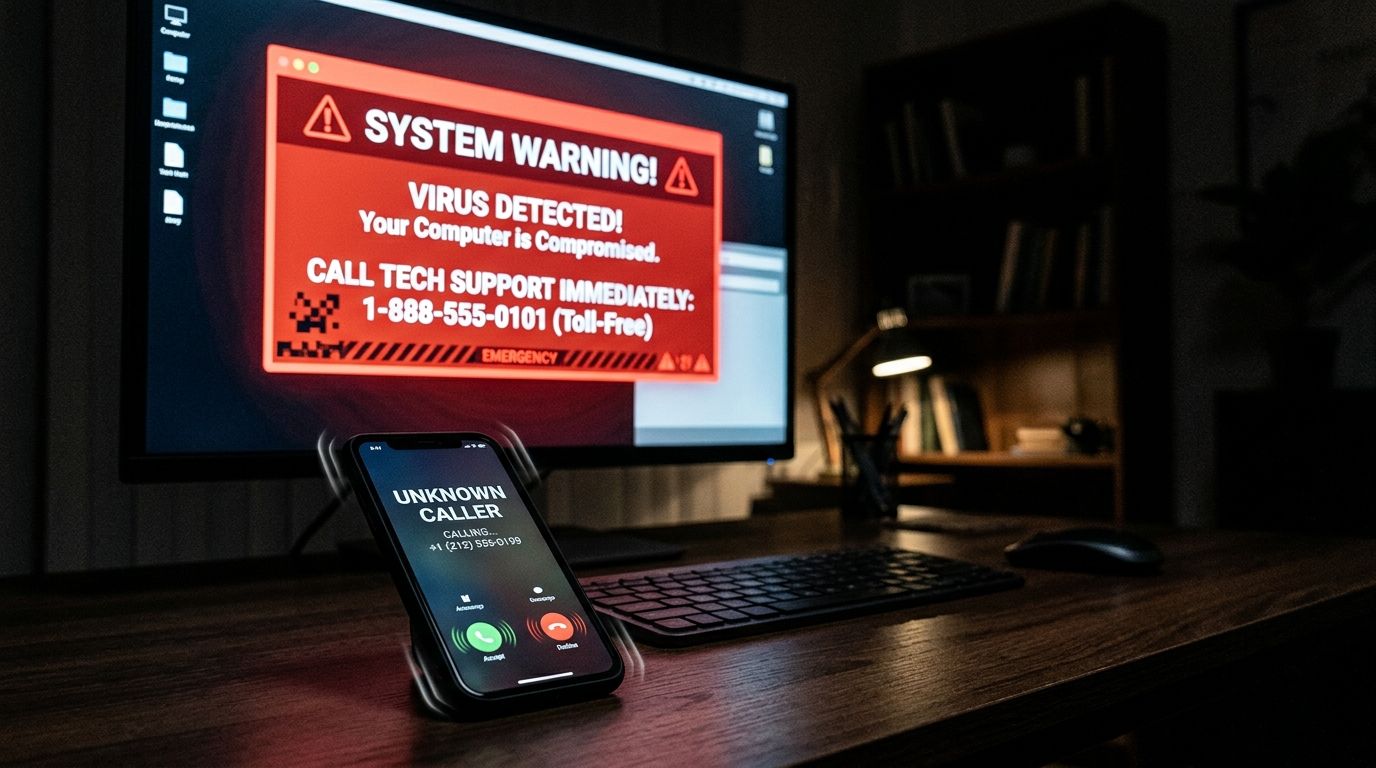
A sudden phone call or full-screen browser alert claiming your device is infected is a clear trap. Legitimate software companies like Microsoft or Apple do not monitor individual home computers for active virus infections. They will never place an unannounced phone call to warn you about system errors. They also do not lock your internet browser or display telephone numbers inside sudden pop-up windows.
Criminals design these terrifying pop-up screens to freeze your browser window and play loud warning sounds. They want you to panic so you call the listed toll-free number immediately. This initial contact technique is known as a fake tech support call. If an unannounced pop-up freezes your screen, do not call the phone number displayed. Simply close your browser tab or restart your computer to clear the fake message safely.
2. Why does the caller demand remote access to your computer?
Once you speak with a fake representative, they will instruct you to download remote desktop tools. They often ask you to install free software programs like AnyDesk or TeamViewer. These legitimate utility tools allow external users to control your mouse, view your screen, and open private folders. A scammer needs this visual access to execute their fraudulent tricks.
Granting screen access to an unknown caller gives them complete control over your personal computer. They can look through your private files, copy saved passwords, or install background surveillance software. They can also access open banking tabs while pretending to run diagnostic scans. Real technical representatives only ask for remote connection access when you initiate the support request yourself. If a cold caller asks you to download screen sharing software, end the conversation immediately.
3. Why do scammers show you alarming system logs as virus proof?
After gaining remote access to your desktop screen, the caller will attempt to convince you that severe damage exists. They will open normal administrative windows like Event Viewer or Command Prompt to display long lists of text. They point to harmless background system warnings and claim these routine entries are dangerous computer viruses. Most everyday users do not understand these technical administrative menus, making the trick very effective.
Every healthy computer records minor software crashes and harmless background connection warnings in system logs. Criminals exploit this technical knowledge gap to manufacture fake emergencies before your eyes. This misleading tactic is a core pattern in every computer virus scam call. They use complex jargon to make basic system reports sound like active malware attacks. If a caller uses basic system logs to intimidate you, disconnect your internet immediately.
4. Why are you pressured to pay for an expensive support plan?
After convincing you that your computer is heavily infected, the caller offers an immediate solution. They claim their company can clean the device and protect it for an expensive annual fee. They might insist that your official software license has expired and requires instant renewal. These fake maintenance packages often cost hundreds of dollars for completely useless services.
Scammers push these unnecessary software plans because they generate fast, dishonest profits. They might charge your card for free open-source software or install useless cleaning tools. In many cases, they do not perform any actual repairs on your operating system. Real software makers include automated security updates directly in your system settings without charging extra fees. Never purchase an emergency maintenance package or software license over an unannounced phone call.
5. Why does the caller ask for payment using gift cards or wire transfers?
When it comes time to pay for the fake support service, standard payment options suddenly disappear. The fake technician will ask you to purchase digital gift cards or send an instant wire transfer. They might also instruct you to transfer cryptocurrency or send physical cash through a courier. They claim their regular credit card processing system is down for routine maintenance.
This strange payment requirement is a definitive sign of an imposter operation. Untraceable payment methods prevent your financial institution from canceling the transfer once completed. Credit card companies offer strong buyer protection policies, but gift card codes move money permanently. Scammers frequently pretend to represent a Microsoft support scam while demanding these untraceable payment options. No real technology corporation accepts retail store vouchers to settle technical bills.
6. Why does the caller threaten that your files will be deleted in minutes?
Fake technicians rely heavily on psychological pressure to force rapid decisions. They will tell you that your personal files, family photos, and bank accounts will be wiped instantly if you hang up. The caller might claim that federal authorities will lock your device if you do not pay for immediate remediation. They keep talking continuously to prevent you from consulting a knowledgeable friend or family member.
This extreme artificial urgency exists solely to bypass your natural caution and critical thinking. Real security problems do not require instant wire transfers or immediate decisions over the phone. Official support channels allow you time to review options, check prices, and verify details independently. If a caller becomes aggressive or refuses to let you hang up, end the call right away. Taking a few quiet moments to think clearly exposes their high-pressure manipulation.
7. Why does the company name fail independent verification checks?
Criminals invent impressive corporate names to sound like official subsidiaries of major technology brands. They might claim to work for global network security partners or official software repair divisions. However, if you search their company name online, you will find no legitimate business registration or physical office address. Their official customer contact numbers will not match the official website listings of the brand they claim to represent.
Always verify support companies independently before sharing personal details or granting computer access. Open a new browser window and look up official contact numbers directly on official corporate websites. Never trust phone numbers provided in pop-up banners, unsolicited emails, or incoming caller ID displays. If the business details do not match official public directories, you are dealing with a fake company. Independent verification takes under two minutes and prevents severe financial loss.
What to Do If You Have Already Given Remote Access or Paid
If you realized you granted access or sent money to a fake technician, act quickly to secure your device. Immediately disconnect your computer from Wi-Fi or unplug your internet cable to stop external access. Uninstall any remote management programs the caller instructed you to download. Use a trusted, independent security program to run a full system scan on your machine.
Next, change all your online banking, email, and shopping passwords using a completely different secure device. Contact your bank or credit card company immediately to report the fraudulent transaction. Tell your financial institution that a scammer gained access to your device so they can monitor your accounts. If you feel unsure whether your computer is clean, consider taking it to a local repair shop or performing a complete factory reset.
Verify Technical Support Before You Connect
Protecting your digital devices comes down to staying calm and recognizing unexpected contact as a potential risk. Real technology corporations will never call you out of the blue or lock your screen with high-pressure pop-up warnings. When you know how these dishonest callers operate, you can protect your computer and savings with total confidence.
Never let an aggressive caller force you into installing software or sending untraceable payments. If you receive a suspicious technical message, verify the details independently before taking action. You can check suspicious phone numbers or web links using our free VastOutlet Threat Rating Engine. Visit the VastOutlet Threat Rating Engine at https://www.vastoutlet.com/rating-engine to scan suspicious details and keep your digital life secure today.
Worried this happened to you?
Our Threat Rating Engine can analyze suspicious URLs, email addresses, or cryptocurrency wallets associated with potential scams.
Scan suspicious linkarrow_forwardProtecting Your Digital footprint
Once you have identified these threats, taking immediate action is essential. Do not delay banking checks or changing passwords. By locking down your account security policies and setting up credit monitoring blocks, you can completely isolate yourself from modern credential-harvesting networks.