
How to Spot a Fake App Before You Download It
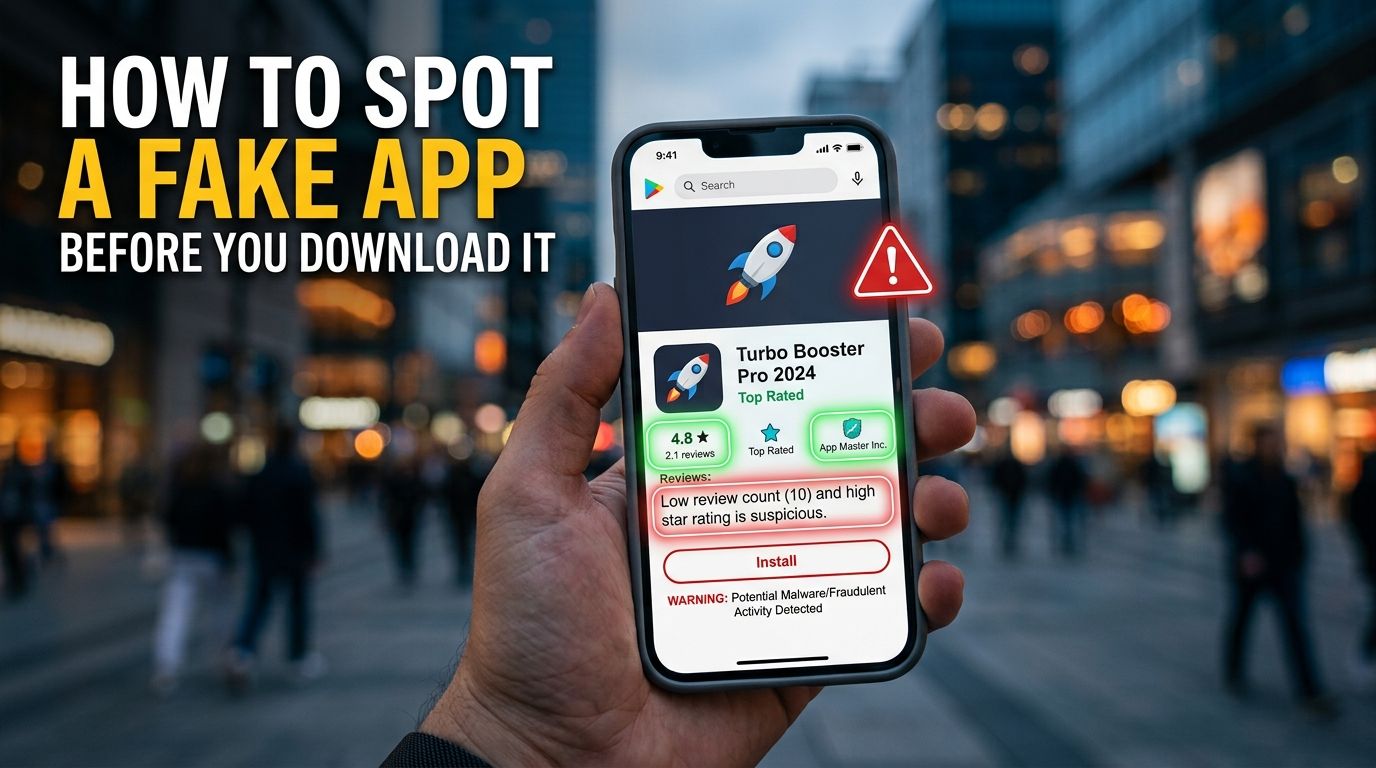
Learning how to spot fake apps before tapping the install button protects your personal bank account from automated digital thieves. Fraudulent developers build lookalike software that mimics popular banking tools, online shopping portals, and utility applications. Unsuspecting phone users download these counterfeit programs and enter their private login credentials or debit card numbers. Once you type your personal security codes into a cloned application, cybercriminals harvest your account details instantly. Taking two minutes to inspect store pages stops malicious software from infecting your mobile device. This guide covers seven simple verification steps you can use on any smartphone today.
How to spot fake apps by checking the developer name
Checking the publisher name on a mobile store page provides instant clarity about who built the software. Authentic corporate applications list the exact legal name of the parent business or official software division. Scammers attempt to trick shoppers by registering developer names that look almost identical to genuine corporate brands. They might alter a single letter, add unnecessary hyphens, or append words like official or secure.
To verify a developer name, compare the listed store developer against the corporate details published on the business website. Open a clean browser tab and navigate directly to the official homepage of the company. Look for official download badges on their homepage that route directly to legitimate store listings. If the store publisher name does not match the official corporate entity, close the application page immediately. Checking developer credentials prevents you from installing malicious software built by unknown third parties.
Why do low download numbers reveal a counterfeit banking app?
Examining the total download volume and user review counts provides clear proof of software authenticity. Popular financial portals, major retail platforms, and social media tools accumulate millions of active user installs over time. Their official store pages display massive download metrics alongside hundreds of thousands of user ratings. When a merchant claims to represent a major national bank, their application metric should reflect that broad user base.
If you search for a major corporate brand and find a page showing only a few hundred downloads, pause immediately. You are likely viewing a freshly uploaded counterfeit banking app designed to trap unsuspecting customers. Cybercriminals launch these fake listings rapidly, hoping to gather login data before store security filters remove them. A genuine corporate application never maintains a tiny download count on official distribution channels. Stepping back from low-volume store pages protects your financial identity from sudden digital theft.
How do recent user reviews expose fake app warning signs?
Reading user feedback offers a fast way to discover background security problems before installing new software. Genuine reviews discuss everyday software performance, user interface layout, and recent feature updates across different phone models. When inspecting store comments, sort the feedback menu by most recent rather than relying on top featured ratings. Fake application networks often purchase automated five-star ratings to artificially inflate their overall score.
Scanning recent comments helps you spot critical fake app warning signs reported by real phone users. Watch for repeated complaints about sudden account lockouts, unexpected login errors, or aggressive pop-up advertisements. If multiple users report that the application demanded payment details before opening, walk away. Frustrated users frequently post warnings if an application fails to function like the genuine corporate service. Reviewing recent customer comments exposes hidden operational flaws before malicious code reaches your phone.
Why is a basic app asking for sensitive device permissions?
Inspecting requested device permissions reveals whether an application respects your personal privacy boundaries. Every application requires specific system permissions to perform its primary functions on your mobile hardware. For example, a navigation application genuinely requires location access to calculate driving routes. However, simple utilities like digital flashlights or basic calculators do not need access to your private records.
When a basic utility program requests permission to read text messages, access contacts, or view phone logs, refuse access immediately. Digital thieves use unnecessary permission requests to intercept two-factor authentication codes and harvest personal contact lists. They run background scripts to monitor your typing activity and gather private data for identity theft schemes. Always review requested permissions on the store listing page before confirming any software installation. If a simple application demands broad administrative access to your phone, abandon the download.
How to tell if an app is fake by checking the official website link
Navigating directly through an official corporate website is the safest method to locate legitimate mobile software. Searching for popular brand names directly inside public app store search bars can expose you to paid lookalike ads. Dishonest developers run promotional campaigns to place their fake applications at the very top of search result pages. An unsuspecting user might tap the top search result assuming it represents the official company application.
Learning how to tell if an app is fake requires bypassing generic store search results entirely. Open your web browser and type the official web address of the bank or merchant directly into the address bar. Look for verified download links published on their main customer support or mobile banking pages. Tapping verified links directly from official corporate websites guarantees you land on the genuine store page. Using verified website links removes the risk of tapping fraudulent lookalike store advertisements.
Why do poor screenshots and outdated software signal a fake app?
Inspecting visual presentation details and update history schedules provides valuable information about software quality. Authentic corporate teams maintain strict branding guidelines across their store descriptions, digital logos, and promotional screenshots. Their store pages display high-resolution images, clean typography, and professional feature descriptions without grammatical errors. In contrast, fraudulent listings rely on pixelated graphics, copied logos, and awkward machine translations.
Examine the published software version history to see when the developer last released system updates. Legitimate technology companies update their mobile software regularly to patch background security flaws and improve performance. If a listing shows zero updates over the past two years, the software is likely abandoned or fake. Pairing low-quality visual screenshots with outdated software records indicates that the application is unmaintained or fraudulent. Closing unverified store pages keeps your mobile operating system secure from outdated security risks.
Why are app links sent through direct text messages dangerous?
Receiving an unannounced text message or email directing you to download mobile software is a major security threat. Cybercriminals send mass text alerts claiming your bank account requires an immediate security update to remain active. The message contains a direct link that bypasses official distribution channels to install software directly. Tapping these unverified links can download malicious installation files directly onto your mobile hardware.
Official financial institutions and major retail merchants never text customers direct links to install mobile software updates. Legitimate applications update automatically through official distribution channels like the Apple App Store or Google Play. If you receive a text message demanding that you install software to fix an account problem, delete it immediately. Never allow your browser to install unknown software packages originating from unannounced text messages. Rejecting external download links keeps your private banking data protected from direct file infection.
What to Do If You Already Downloaded a Fake App
If you realize you installed a fraudulent application on your phone, act immediately to secure your financial accounts. Drag the application icon to your trash bin and uninstall the software completely from your device settings. Disconnect your mobile device from Wi-Fi networks and cellular data to stop active background data transfers. Open a clean browser window on a separate secure computer to manage your sensitive financial accounts.
Change passwords immediately for any online account that shared credentials with the fake application. Contact your bank or credit card company to report potential fraud if you entered payment details into the application. Ask your financial institution to monitor your checking accounts for unauthorized transactions and issue replacement cards. Run a full system security scan using trusted mobile security tools to clear lingering background files. Taking fast protective action limits potential financial damage and secures your digital identity.
Protect Your Phone from Fraudulent Software
Spotting fraudulent mobile software comes down to remaining calm and checking details before tapping the install button. Fraudulent developers depend on familiar logos, artificial urgency, and lookalike names to trick busy smartphone users. When you know how to inspect publisher credentials, check download volumes, and verify permissions, you download with confidence. Never feel rushed to install software sent through unannounced text messages or unverified web links.
You do not have to guess whether a mobile download link or corporate website is safe to use. You can test suspicious web addresses and store links using our free safety scanner before downloading software. Visit the VastOutlet Threat Rating Engine at https://www.vastoutlet.com/rating-engine to scan unverified web links today. Taking ten seconds to verify a download link keeps your money and personal data completely safe.
Worried this happened to you?
Our Threat Rating Engine can analyze suspicious URLs, email addresses, or cryptocurrency wallets associated with potential scams.
Scan suspicious linkarrow_forwardProtecting Your Digital footprint
Once you have identified these threats, taking immediate action is essential. Do not delay banking checks or changing passwords. By locking down your account security policies and setting up credit monitoring blocks, you can completely isolate yourself from modern credential-harvesting networks.