
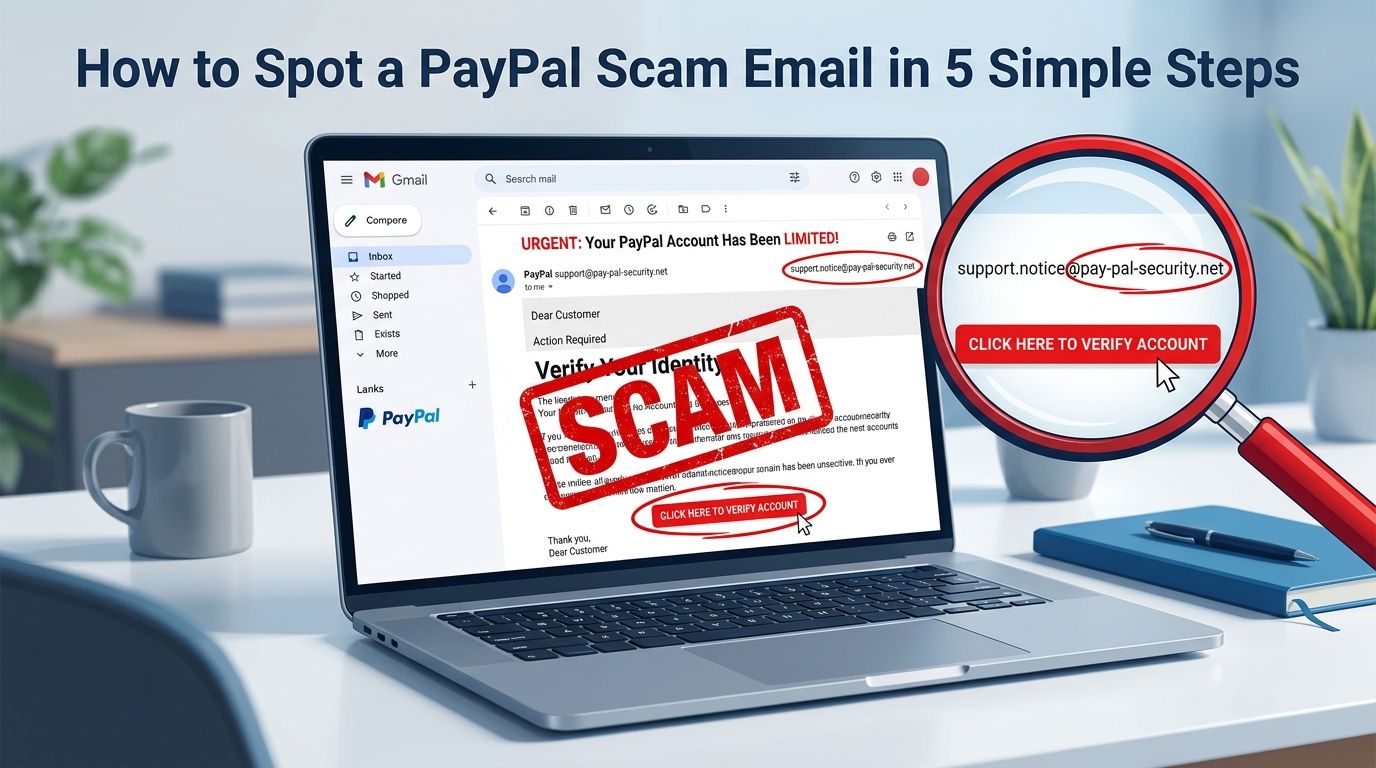
How to Spot a PayPal Scam Email in 5 Simple Steps
Receiving a fake security alert can trigger instant panic, but knowing how to spot a paypal scam email can save your bank account. Every day, digital thieves impersonate popular payment platforms to steal your personal login details. If you click their fake links, you risk losing access to your money and having your identity stolen. This guide offers five clear, non-technical checks to help you verify these messages. You can quickly check any message on your phone or computer to keep your money safe.
Losing your money to digital fraud causes immense stress. This article teaches you how to tell if a payment alert is genuine. You will learn the exact patterns that prove a message came from a criminal. Use these quick verification steps to secure your digital assets today.
Step 1: How can you tell if it is a paypal scam email by checking the sender address?
The display name on an email is incredibly easy for scammers to fake. They often change their sender display name to show official corporate text. This trick makes the message look authentic at first glance on your phone. To see the truth, you must find the actual email address hiding behind the name. Most email programs hide this detail to make their screen look clean.
On your phone or computer, tap or click the sender name to open the sender card. This action displays the complete email address of the person who sent the message. An official payment notification will always end in a clean domain like @paypal.com. If you see anything else, the message is fraudulent. Look out for subtle variations in the letters to spot these traps.
Scammers use lookalike domains such as security-paypal.com or support-service-paypal.com. They might also send billing alerts from public addresses like Gmail or Yahoo accounts. A major financial platform will never send you alerts from these generic addresses. If the address looks scrambled or contains random numbers, delete the message immediately. Taking thirty seconds to check this detail stops most phishing attacks before they start.
Step 2: Why do fake PayPal emails use urgent and threatening language?
Scammers rely on human emotion to bypass your logical thinking. They use scary warnings to trick your brain into acting fast without checking the details. You might see claims that your bank account is suspended. They might also claim that an unauthorized transaction of hundreds of dollars just occurred. These alarming messages are designed to trigger panic and push you to act.
They often set a tight deadline, demanding action within twenty-four hours. They threaten legal action or permanent account closure if you do not comply. Real businesses rarely use sudden threats to resolve billing or security issues. If an account issue occurs, legitimate services offer calm steps to fix it. They will never demand immediate payment through threatening statements.
If an email makes you feel panicked, step back and take a deep breath. The extreme urgency itself is a major warning sign of a fake PayPal email. Protect your savings by ignoring these artificial deadlines completely. When you slow down, you give your mind time to spot spelling mistakes and logical errors. Taking a few quiet moments prevents you from falling for their high-pressure tricks.
Step 3: How do you safely check links in a PayPal phishing email?
Scammers use fake buttons that look exactly like the official website login page. They want you to click these buttons so they can steal your private password. You must never click any links or buttons without verifying where they go. This precaution keeps your personal security intact. Fortunately, checking the destination of a link is simple on any device.
On a laptop or desktop computer, hover your mouse cursor over the link or button. Do not click the button while doing this check. Look at the bottom corner of your web browser window. A small box will appear showing the exact web address where the link leads. On a phone or tablet, press and hold your finger on the link to see a preview window.
Read the previewed address carefully to confirm it points to the genuine website. A PayPal phishing email often redirects you to a stolen domain or a strange sequence of letters. If you spot strange hyphenated words or extra domain extensions, close the preview. Checking links before clicking is a habit that keeps your digital life secure. This physical verification acts like a security guard for your browser.
Step 4: Why does a fake email address you with generic greetings?
A real billing message will always address you by your full first and last name. The payment platform knows your name because you registered your legal details with them. They use this personal information to customize their communication with you. Criminals do not have access to these internal personal files. Instead, they send massive spam lists to thousands of random email addresses at once.
Because they lack your personal details, they must use generic greetings. They will address you as Dear Customer or Dear User. Sometimes they will only display your email address before the message starts. If a billing notification fails to use your actual name, treat it as a trap. This simple formatting detail is one of the easiest ways to identify fraud.
You can easily compare the suspicious message with past legitimate transaction alerts. Look at how the official platform addressed you in those past receipts. You will see your registered name and other specific account details displayed clearly. If the new message lacks this basic customization, delete it immediately. Genuine transactions always contain personalized data that spammers cannot copy.
Step 5: Why should you never click the buttons inside the message?
The safest action you can take is to bypass the email completely. You do not need to guess if the message is real or fake. If you think there might be a real issue with your billing, check it independently. This alternative route removes all risk from your online banking. It ensures you never enter your credentials on a fake login page.
Open a new browser window on your computer or phone. Type the official website address directly into the address bar at the top. Alternatively, open the official app on your mobile device. Log in securely using your saved password and check your dashboard alerts. This is the official channel where legitimate businesses communicate real account updates.
If the security issue is real, you will see the exact same alert inside your dashboard. If your account dashboard looks normal, the email you received was a complete scam. This method keeps your login details entirely safe from fake forms. It takes only an extra minute but guarantees complete safety for your funds. By going directly to the official site, you protect your money from digital traps.
What to do if you already clicked or entered information
If you clicked a link and entered your login details, act fast to secure your money. First, open a clean browser tab and log in to the official payment website. Change your password immediately to lock out any unauthorized users. Create a strong, unique password that you do not use on other websites. This quick action can prevent scammers from accessing your funds.
Next, set up a security app on your phone that gives you a new login code every thirty seconds. This extra layer stops thieves even if they somehow steal your password again. Check your recent transaction history for any unauthorized payments or transfers. If you spot any suspicious charges, contact official support immediately through the official app. They can help you secure your account and dispute unauthorized activity.
Finally, contact your bank or credit card company to report the fraud. Ask them to freeze any cards that were linked to your payment account. They can monitor your accounts for unauthorized charges and issue new cards. Keep a close eye on your financial statements for the next few weeks. Taking these protective actions helps contain the damage and secures your digital life.
Protect your hard-earned money from digital fraud
Spotting a fake billing message is all about staying calm and checking the details. Scammers rely on speed and panic to steal your hard-earned money. By slowing down and using these five simple checks, you reduce your risk. You do not need to be a technical expert to stay safe online. Simple, physical verification steps are enough to protect your bank account.
Never feel pressured to click a link or reply to an urgent alert immediately. If a message feels suspicious, trust your instincts and verify it independently. You can also use online tools to check if a web link is safe before you click. We built a free tool to make this check quick and easy. Our safety scanner helps you verify suspicious links in a matter of seconds.
You can check any suspicious link using our online verification tool. Visit the VastOutlet Threat Rating Engine at https://www.vastoutlet.com/rating-engine to run a quick security scan. This tool analyses web addresses for known scam patterns instantly. Taking ten seconds to check a link keeps your private details secure. Safe online habits start with smart decisions and the right safety tools.
Worried this happened to you?
Our Threat Rating Engine can analyze suspicious URLs, email addresses, or cryptocurrency wallets associated with potential scams.
Scan suspicious linkarrow_forwardProtecting Your Digital footprint
Once you have identified these threats, taking immediate action is essential. Do not delay banking checks or changing passwords. By locking down your account security policies and setting up credit monitoring blocks, you can completely isolate yourself from modern credential-harvesting networks.